Cybersecurity is no longer a concern reserved for large corporations and technology companies.
Small businesses, schools, professional organizations, retailers, healthcare providers, startups, and other organizations increasingly depend on websites, cloud platforms, computers, mobile devices, business applications, and online services to operate.
That dependence also creates security risks.
A compromised email account, stolen password, infected computer, exposed database, or unavailable website can disrupt business operations and potentially result in financial and reputational damage.
The good news is that businesses do not have to implement an extremely complicated security program before taking action.
A practical cybersecurity strategy can start with understanding your risks, protecting your most important assets, training your people, and preparing for incidents.
What is a Cybersecurity Strategy?
A cybersecurity strategy is a structured approach to protecting a business's systems, data, devices, applications, networks, and users from security threats.
It answers important questions such as:
- What are we trying to protect?
- What could go wrong?
- How likely are these risks?
- What security controls do we currently have?
- What gaps need to be addressed?
- Who is responsible for security?
- What will we do if an incident occurs?
The strategy does not have to be complicated. It should be appropriate for the size, industry, technology environment, and risks of the organization.
Step 1: Identify What You Need to Protect
You cannot protect something effectively if you do not know that it exists.
Start by creating an inventory of your important technology assets.
These may include:
- Company computers
- Laptops and smartphones
- Servers
- Websites
- Databases
- Business applications
- Cloud accounts
- Email accounts
- Customer information
- Financial records
- Employee information
- Company documents
- Network equipment
- Backup systems
- Software source code
Identify which assets are most important to keeping the business running.
For example, an e-commerce company may consider its website, customer database, payment infrastructure, and order-management system critical assets.
Step 2: Identify Your Cybersecurity Risks
After identifying your assets, consider what could go wrong.
Common cybersecurity risks include:
Phishing
Attackers may send fraudulent emails or messages designed to trick employees into revealing credentials or opening malicious files.
Weak Passwords
Simple, reused, or compromised passwords can provide attackers with unauthorized access to business accounts.
Malware
Malicious software can infect computers and potentially damage systems or expose information.
Ransomware
Ransomware can prevent organizations from accessing files and systems until recovery measures are implemented.
Unauthorized Access
Employees, former employees, attackers, or other unauthorized individuals may gain access to systems or information they should not access.
Data Breaches
Sensitive information can be exposed through compromised systems, misconfigured services, human error, or other security incidents.
Software Vulnerabilities
Outdated applications, plugins, libraries, operating systems, and other components may contain vulnerabilities that attackers can exploit.
Step 3: Prioritize Your Risks
Not every cybersecurity risk requires the same level of attention.
A useful approach is to consider:
Likelihood × Impact = Risk Priority
For example:
| Risk | Likelihood | Potential Impact | Priority |
|---|---|---|---|
| Phishing | High | High | High |
| Weak employee passwords | High | High | High |
| Outdated softwares | Medium | High | High |
| Lost company device | Medium | Medium | Medium |
| Temporary website outage | Medium | Medium | Medium |
The exact priorities will differ from one organization to another.
The purpose is to identify which risks deserve attention first.
Step 4: Strengthen Password Security
Passwords remain one of the most important areas of cybersecurity.
Businesses should establish clear password practices.
Consider implementing:
- Strong and unique passwords
- Password managers
- Multi-factor authentication
- Separate administrator accounts
- Secure password recovery procedures
- Regular access reviews
Employees should also avoid sharing passwords through unsecured channels.
Where multi-factor authentication is available, enable it for important accounts such as:
- Cloud services
- Business applications
- Hosting accounts
- Administrative dashboards
- Financial platforms
Step 5: Control User Access
Not everyone in an organization needs access to everything.
Implement access controls based on employees' responsibilities.
For example, an employee responsible for sales may need access to customer and sales systems but may not need access to server administration or payroll information.
This is commonly associated with the principle of least privilege: users should have only the access required to perform their work.
Access should also be reviewed when:
- An employee changes roles
- A contractor's work ends
- An employee leaves the organization
- A new system is introduced
- Administrative responsibilities change
Step 6: Keep Software Updated
Software updates often include security fixes.
Businesses should establish a process for updating:
- Operating systems
- Web applications
- Websites
- Plugins
- Mobile applications
- Servers
- Security software
- Libraries and dependencies
Do not assume that a system is secure simply because it was secure when it was originally installed.
Security requires ongoing maintenance.
Step 7: Protect Your Business Devices
Company devices should be protected with appropriate security controls.
Depending on the environment, these may include:
- Device passwords or PINs
- Screen locking
- Antivirus or endpoint protection
- Firewalls
- Encryption
- Automatic updates
- Secure configuration
- Remote management
- Remote-wipe capabilities where appropriate
Businesses should also establish rules for employees who use personal devices for work.
Step 8: Secure Your Network
Your business network connects computers, devices, servers, applications, and users.
Basic network security measures may include:
- Secure Wi-Fi configurations
- Strong administrator credentials
- Firewall protection
- Network segmentation where appropriate
- Regular firmware updates
- Automatic updates
- Secure remote access
- Monitoring of important systems
Businesses should avoid relying on default passwords or factory configurations for network equipment.
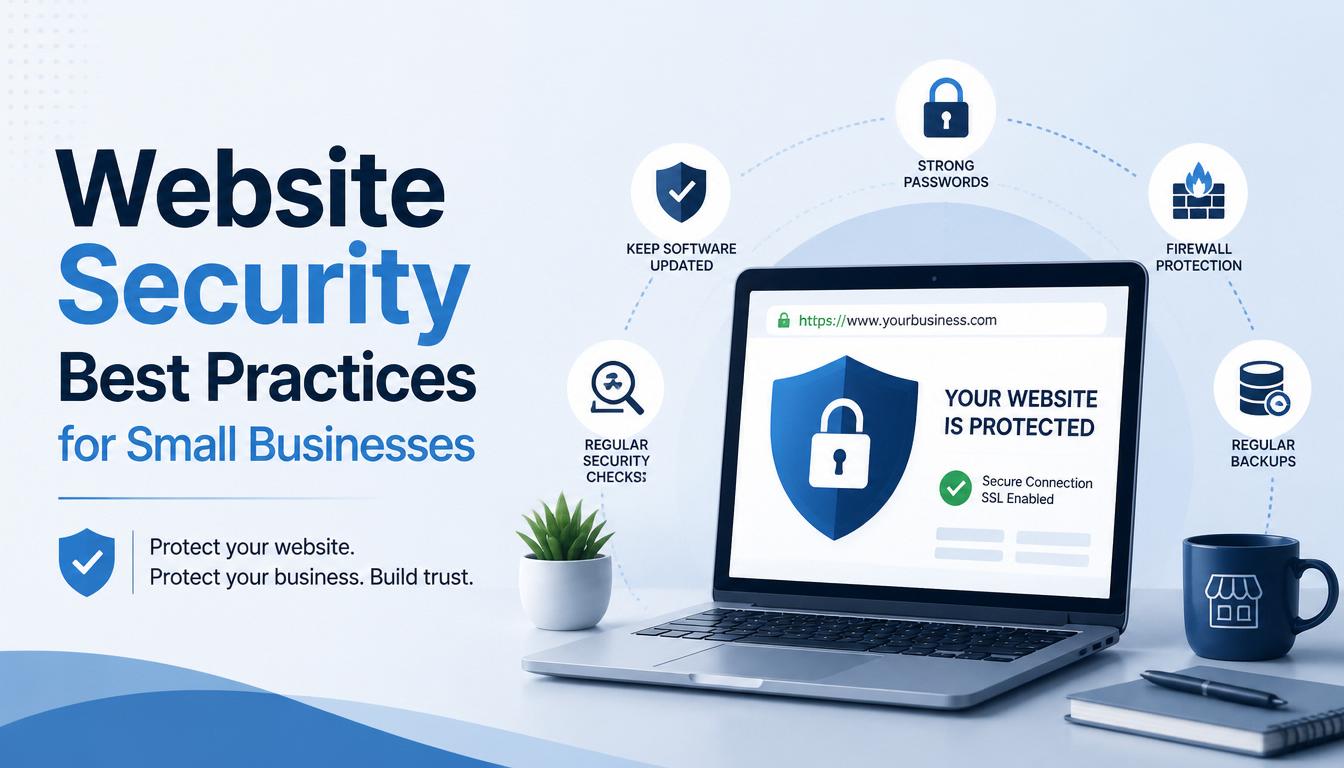
Step 9: Protect Your Website and Applications
Your website may be one of the most visible parts of your business—and it can also become a target for attacks.
Businesses should consider:
- HTTPS
- Secure hosting
- Firewall protection
- Strong administrator authentication
- Regular software updates
- Secure coding practices
- Input validation
- Protection against malicious file uploads
- Database security
- Regular backups
- Security monitoring
For custom software and mobile applications, security should be considered during development rather than added only after the application is completed.
Step 10: Back Up Important Information
A cybersecurity strategy should include a reliable backup strategy.
Back up critical information such as:
- Databases
- Business documents
- Website files
- Application data
- Financial records
- Customer information
- Important configuration files
Backups should be appropriately protected from unauthorized access and should be tested periodically to confirm that restoration works.
A backup that cannot be restored when needed is not a reliable recovery solution.
Step 11: Train Your Employees
Employees are an important part of your cybersecurity strategy.
Regular awareness training can help employees recognize:
- Phishing emails
- Suspicious links
- Fake login pages
- Social engineering
- Malicious attachments
- Unusual payment requests
- Password-security risks
- Unauthorized software
Training should be practical and ongoing rather than a one-time activity.
Employees should also know who to contact when they suspect something has gone wrong.
Step 12: Create an Incident Response Plan
Even organizations with strong security controls can experience incidents.
Prepare for that possibility.
Your incident response plan should define:
- How an incident will be identified
- Who is responsible for responding
- How affected systems will be isolated
- How evidence and relevant information will be preserved
- How the business will communicate internally
- How systems will be recovered
- When customers, partners, insurers, regulators, or other parties may need to be notified
- How lessons learned will be incorporated afterward
Depending on the incident and applicable legal requirements, specific notification or reporting obligations may apply.
Step 13: Protect Your Data
Cybersecurity and data protection are closely connected.
Businesses should understand:
- What personal data they collect
- Why they collect it
- Where it is stored
- Who can access it
- How it is protected
- How long it should be retained
- When it should be securely deleted
Businesses operating in Nigeria should also consider their obligations under applicable Nigerian data-protection requirements.
Good data governance can reduce unnecessary exposure while supporting responsible business operations.
Step 14: Review Third-Party Services
Businesses rarely operate entirely on their own infrastructure.
You may depend on:
- Cloud providers
- Hosting companies
- Payment processors
- Email platforms
- Software vendors
- Marketing platforms
- IT service providers
- External developers
Before entrusting important information or systems to a third party, understand what security measures are available and what responsibilities each party has.
Third-party risk should be part of your cybersecurity strategy.
Step 15: Monitor and Review Your Security
Cybersecurity is not a project that you complete once and forget.
Technology changes.
Employees change.
Threats change.
Business processes change.
New applications and devices are introduced.
For this reason, businesses should periodically review their cybersecurity strategy.
Ask:
- What has changed since our last review?
- Have new systems been introduced?
- Have new employees or contractors received appropriate access?
- Are old accounts still active?
- Are backups working?
- Are software updates being applied?
- Have new risks emerged?
- Have previous security incidents been addressed?
Regular reviews help keep your security strategy relevant.
A Simple Cybersecurity Strategy for Small Businesses
If your business is starting from scratch, you don't have to implement everything at once.
A practical starting point could be:
Priority 1 — Protect Accounts
- Enable multi-factor authentication
- Use strong unique passwords
- Review administrator accounts
- Remove unnecessary access
Priority 2 — Protect Devices
- Keep software updated
- Use appropriate endpoint protection
- Encrypt important devices where appropriate
- Lock devices when unattended
Priority 3 — Protect Data
- Identify important information
- Restrict access
- Protect sensitive information
- Maintain reliable backups
Priority 4 — Protect Employees
- Provide cybersecurity awareness training
- Teach employees how to recognize phishing
- Establish procedures for reporting suspicious activity
Priority 5 — Prepare for Incidents
- Create an incident response plan
- Identify responsible personnel
- Test backups
- Document recovery procedures
Priority 6 — Review Regularly
- Audit access
- Review systems
- Update security policies
- Assess emerging risks
Cybersecurity is a Continuous Process
One of the biggest mistakes businesses can make is treating cybersecurity as a one-time installation.
Installing antivirus software, purchasing a firewall, or securing a website does not automatically make an organization secure.
Cybersecurity requires continuous attention.
It involves people, processes, technology, monitoring, training, and improvement.
A good cybersecurity strategy should also grow with the business.
As your organization adds employees, customers, applications, devices, cloud services, and data, your security requirements will change.
Final Thoughts
Every business has something worth protecting.
You don't need to be a large corporation before cybersecurity becomes important. A small business may hold customer information, financial records, employee data, intellectual property, passwords, and other valuable information.
The best time to establish a cybersecurity strategy is before a serious incident occurs.
Start by identifying what matters most, understanding your risks, securing accounts and devices, protecting important information, training your employees, maintaining backups, and preparing for incidents.
Then review and improve your strategy as your business grows.
SOAR INNOVATIVE TECHNOLOGY helps businesses build, secure, maintain, and improve their digital infrastructure. From websites and custom software to cybersecurity, cloud solutions, IT support, and ongoing maintenance, we help businesses use technology more effectively and responsibly.
Need help improving your business's cybersecurity?
Talk to SOAR INNOVATIVE TECHNOLOGY about your technology environment, security needs, and the next steps for strengthening your business.

Leave a Reply
Your email address will not be published. Required fields are marked *